Core engine
High-volume filtering
Streams numbers through rotating accounts in configurable batches, with automatic ban detection and cool-down so a run keeps moving instead of stalling
Bulk WhatsApp filtering suite
Check a list against WhatsApp, enrich every match with profile data, then clean what is left. Ten tools, one desktop app
0 countries 0 carrier prefixes 0 numbers per run Windows 10 & 11 · Updates included · Watch the walkthrough
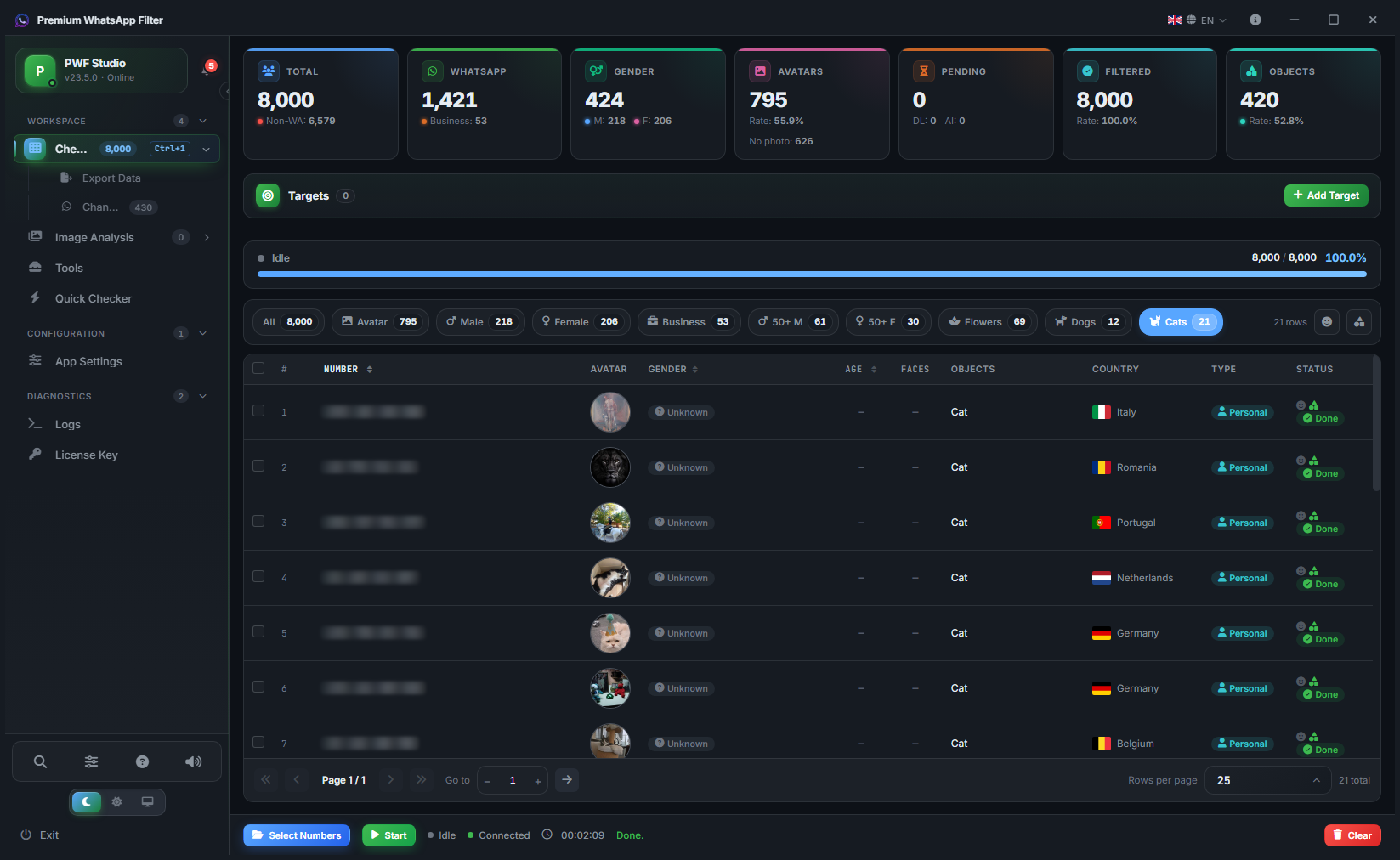
Built around one pipeline: load numbers, filter them, enrich the matches, export the result
Streams numbers through rotating accounts in configurable batches, with automatic ban detection and cool-down so a run keeps moving instead of stalling
Downloaded avatars run through dedicated analysis workers that infer gender, age band and image content, letting you segment the output automatically
Import, health-check and rotate accounts from one screen. Dead or restricted channels are detected and parked before they cost you a batch
Route each channel through its own SOCKS5 endpoint with per-account credentials, keeping sessions cleanly separated
Write results to TXT, CSV, VCF or XLSX — with embedded avatar thumbnails — and split large outputs into fixed-size chunks automatically
Streaming reads, batched writes and multi-stage back-pressure keep memory flat whether the list is ten thousand rows or two hundred thousand
A full pass through the generation and analysis tools
Everything you need to build, inspect and clean number lists before and after a run
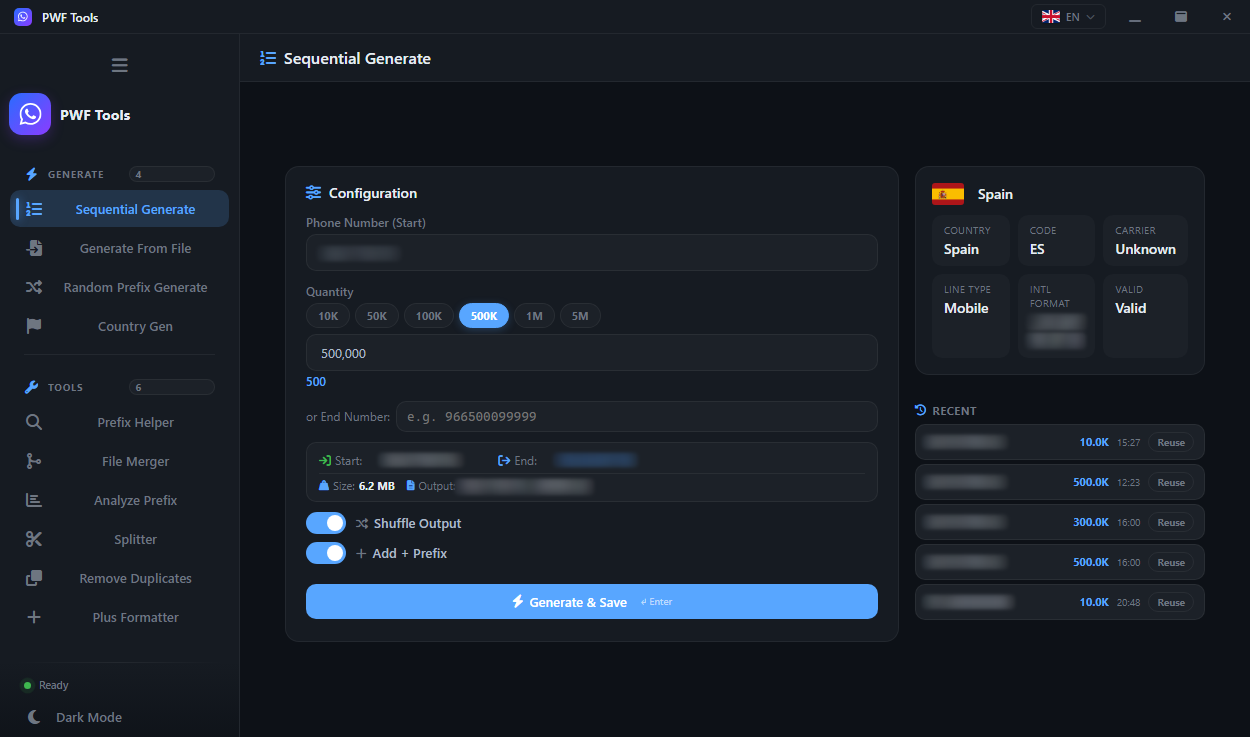
A sequential phone number generator: produce a continuous range from a starting number — set a quantity or an end number, optionally shuffled, with a live size estimate before you commit
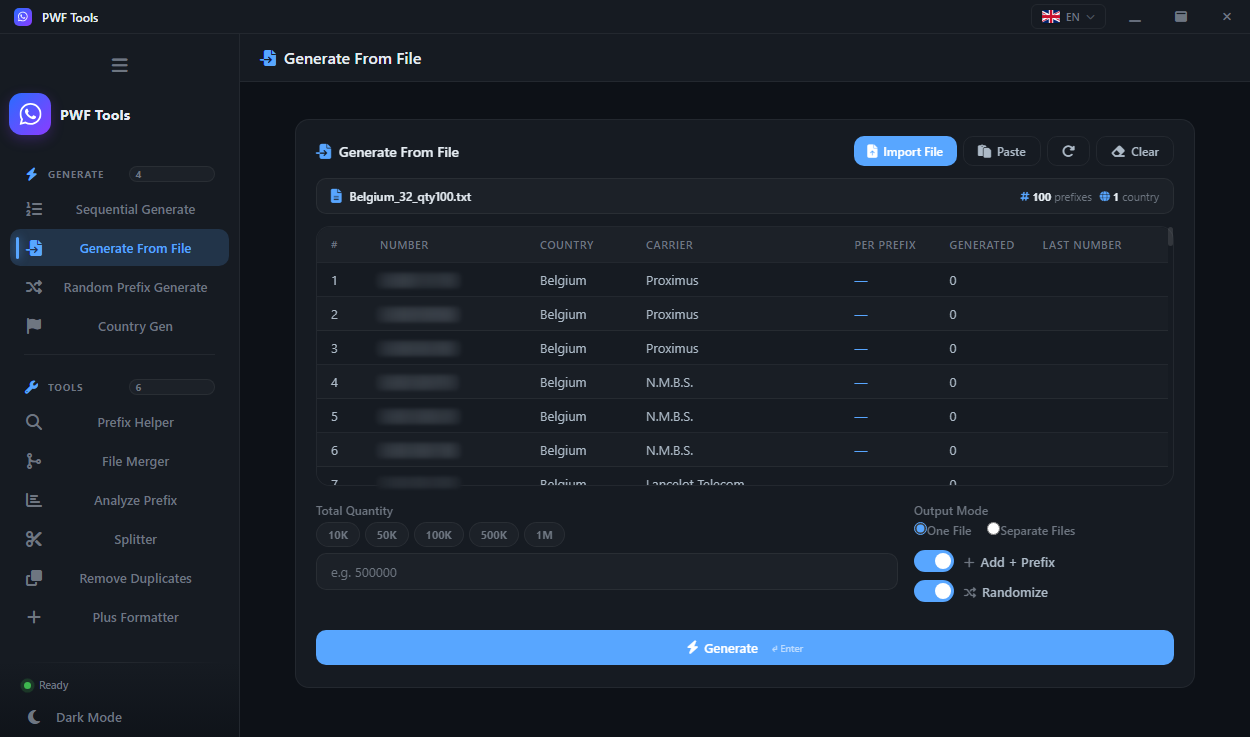
Generate numbers from a file: take an existing list as the seed and expand it into new candidate numbers while preserving the source prefixes
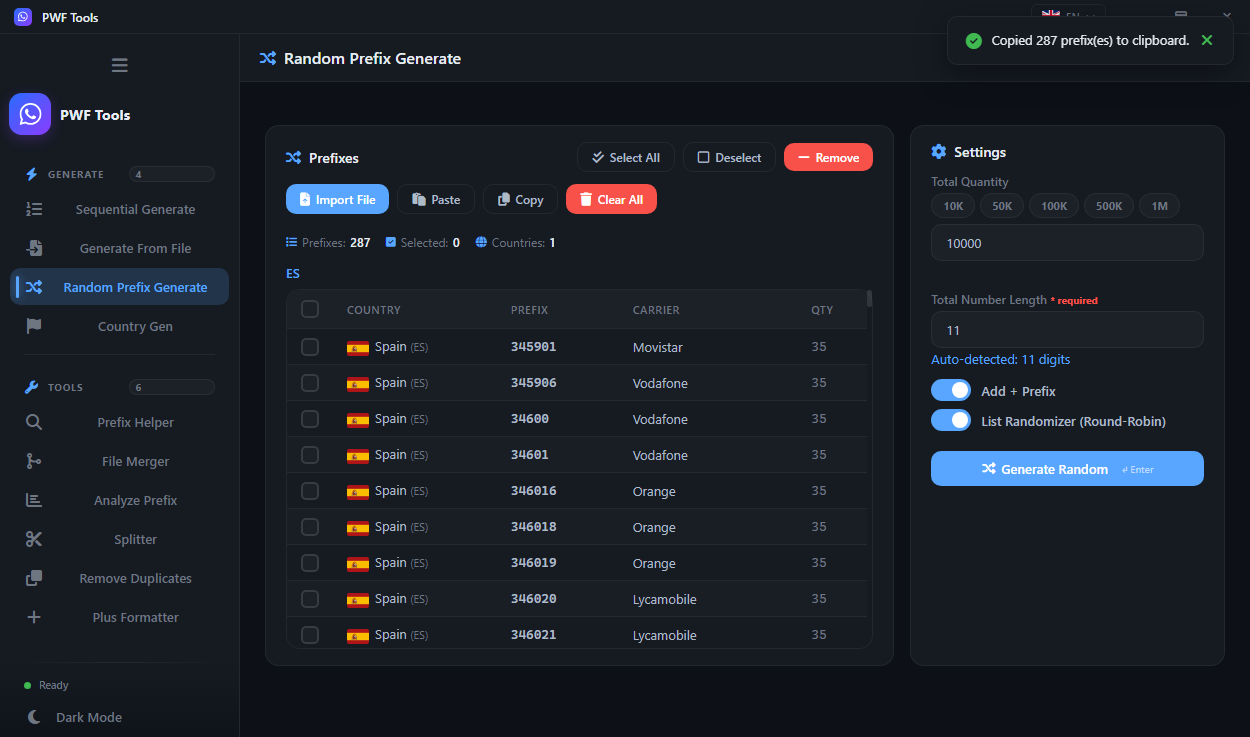
A random prefix number generator: spread generation across several prefixes at once so the output is not a single contiguous block
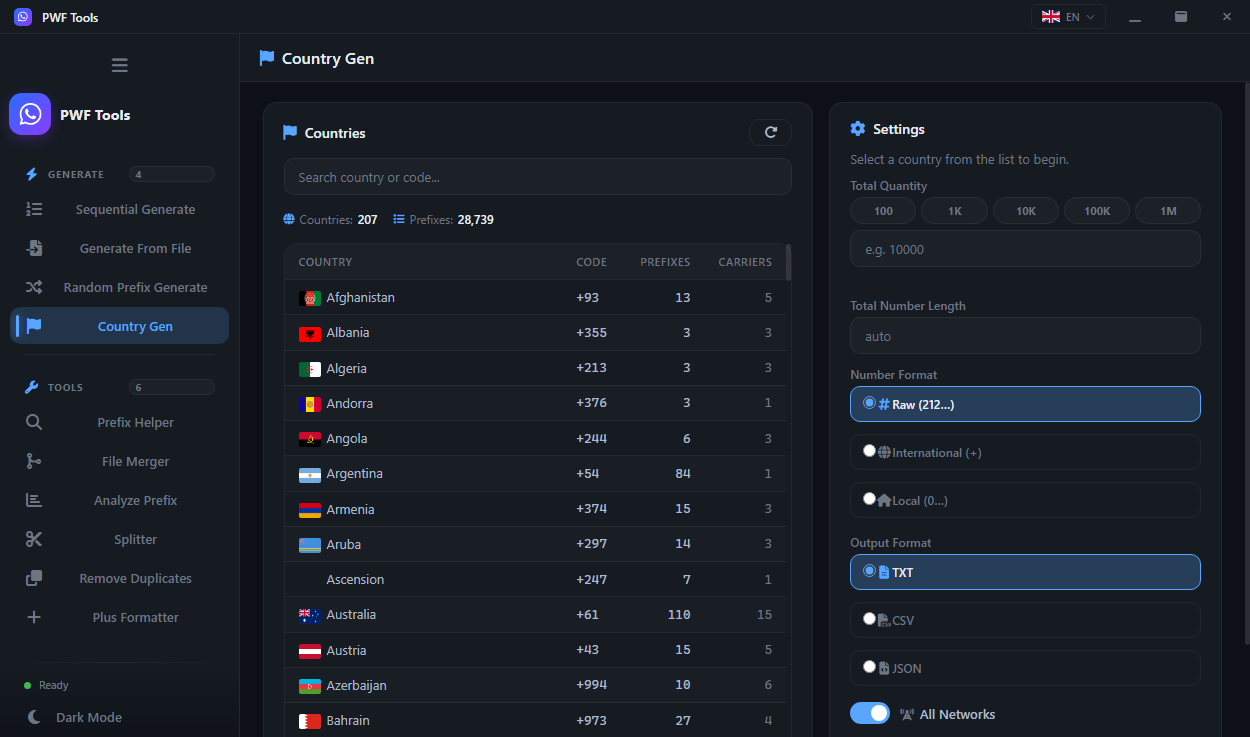
A phone number generator by country: pick a country and generate from its real operator prefixes. Ships with 207 countries and 28,739 carrier prefixes
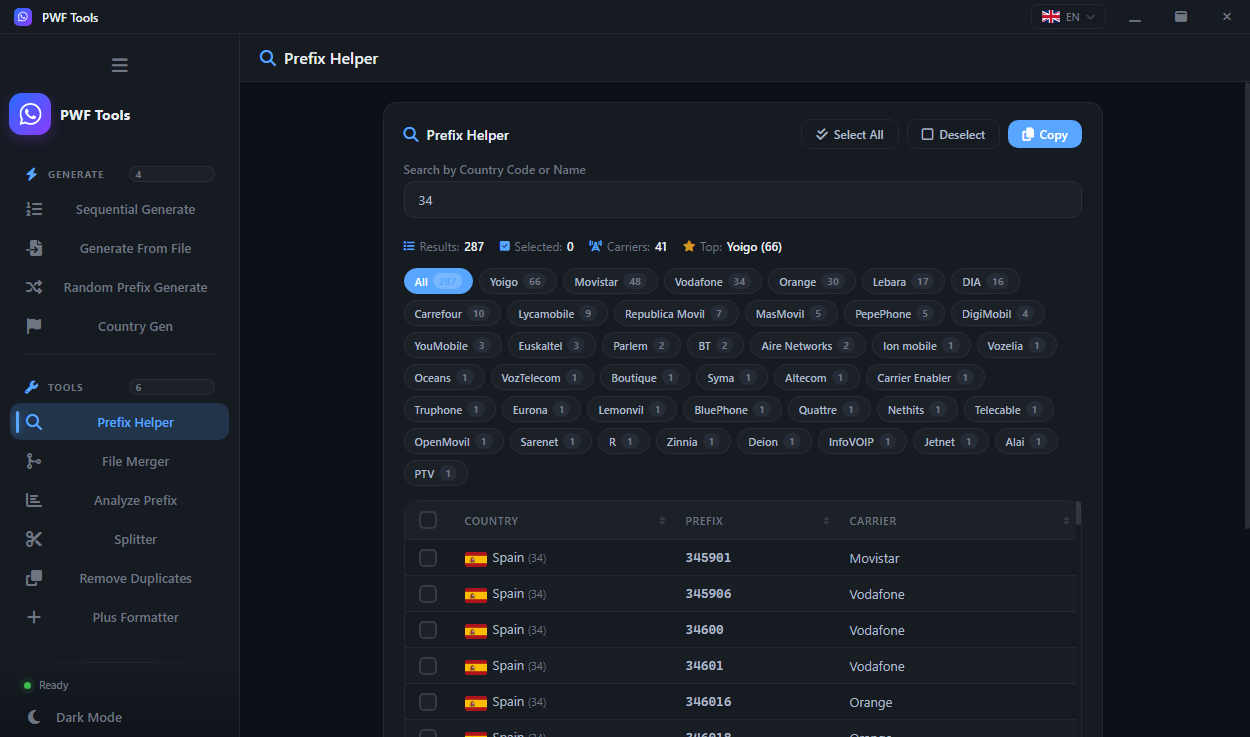
Phone number prefix lookup: see the country, operator and expected line length of any prefix before you generate against it
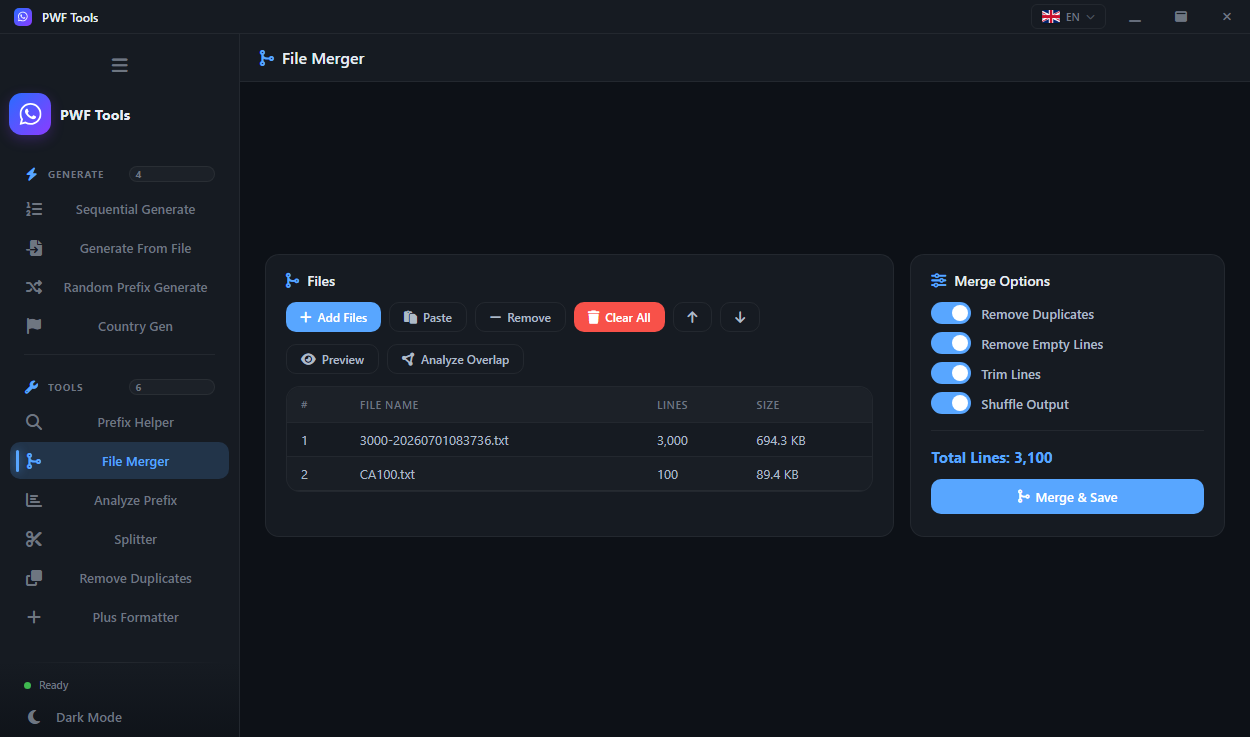
A number list merger: combine any number of lists into one file, with duplicate handling applied across the whole merge
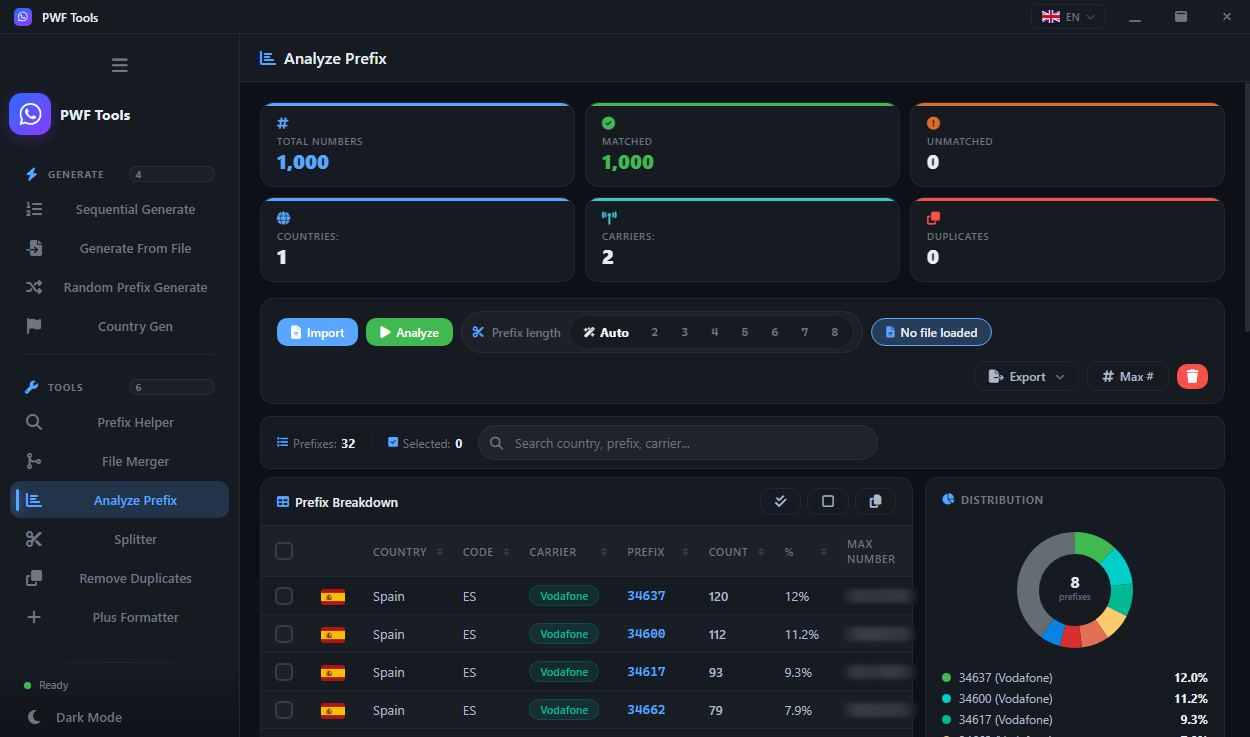
A prefix analyzer: break a list down by country, carrier and prefix with counts, percentages and a distribution chart — so you know what you are about to run
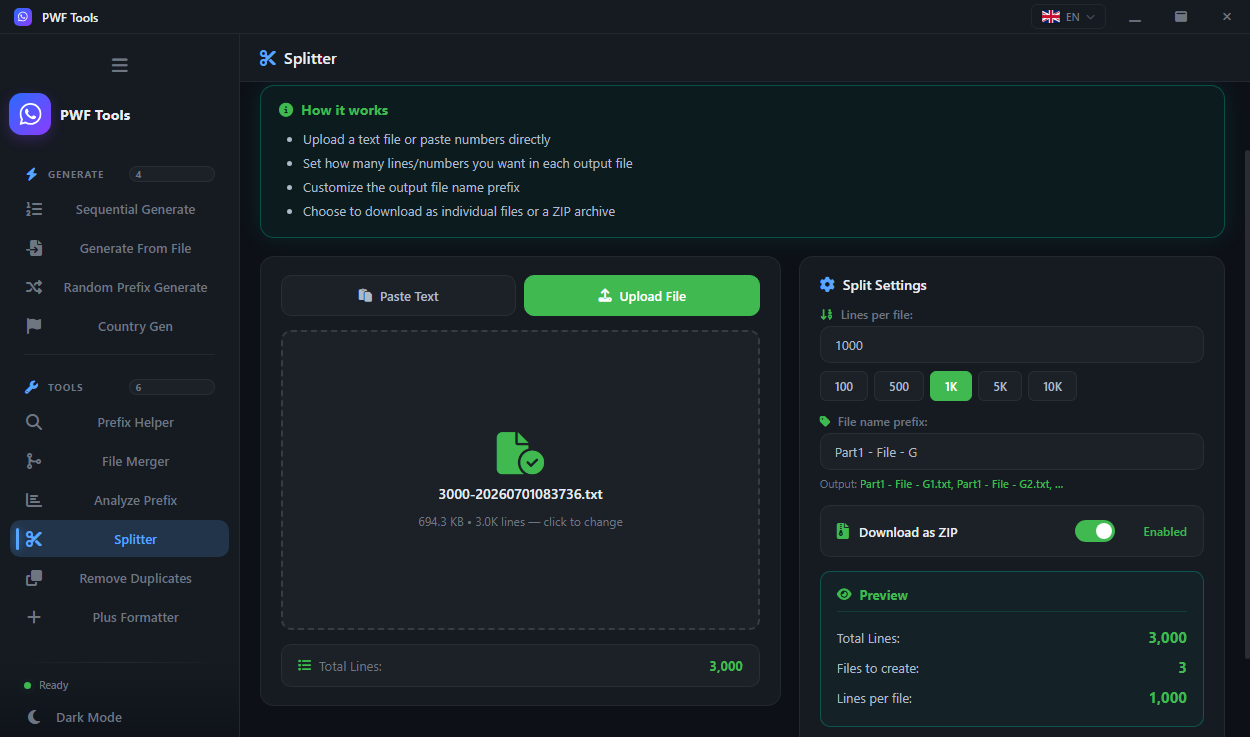
A phone list splitter: cut a large file into evenly sized parts by line count or by file size
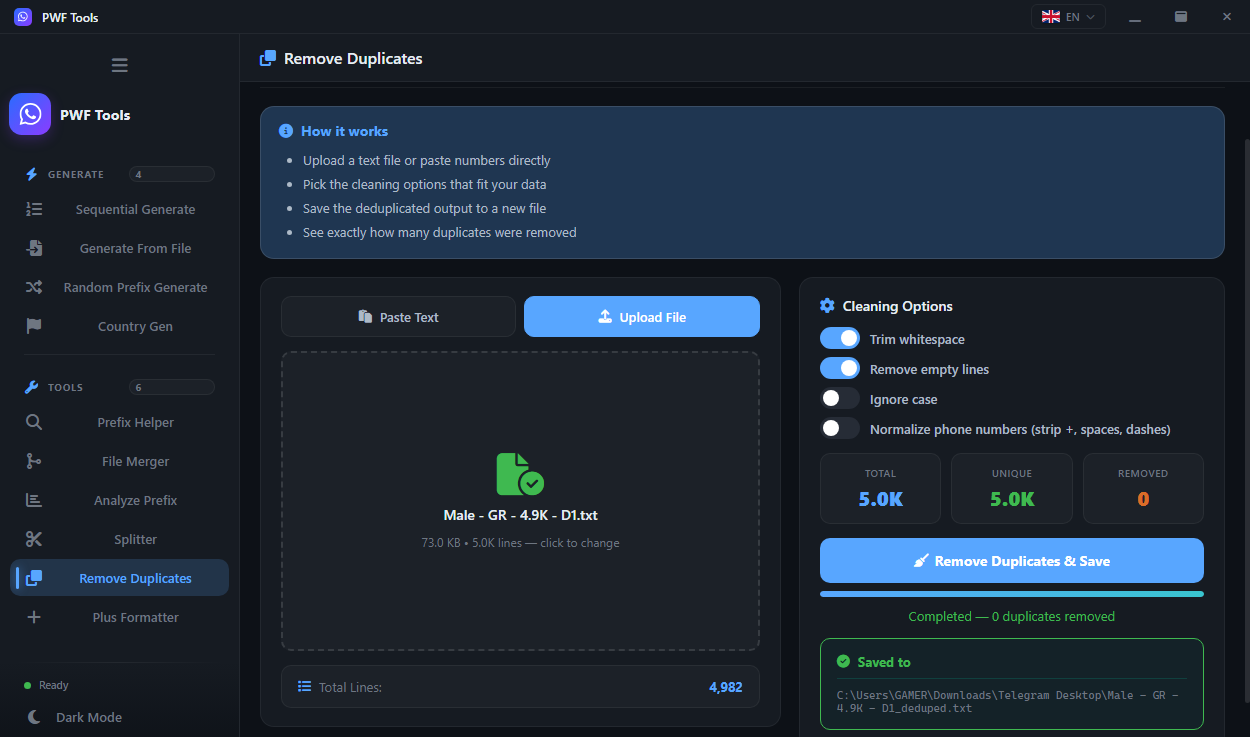
Remove duplicate phone numbers from a list, with an exact count of what was removed
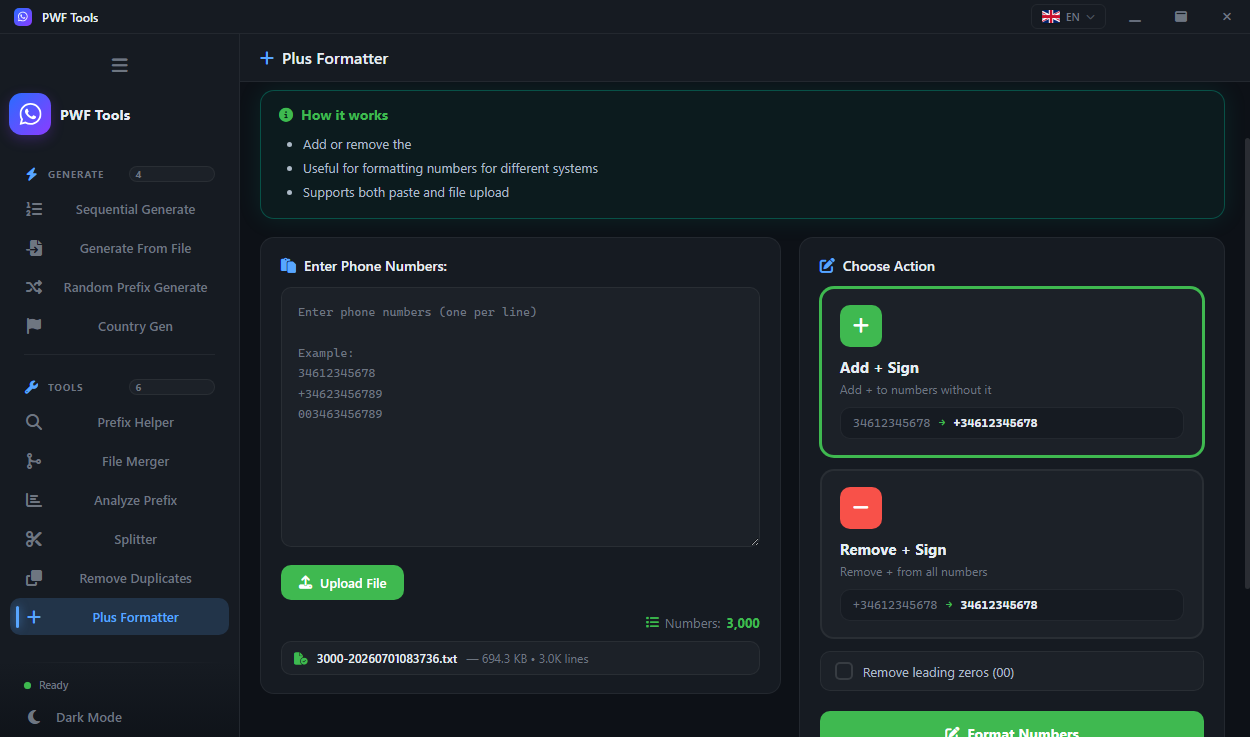
A phone number formatter: add the plus sign to phone numbers or remove it — normalise a whole file to or from international `+` notation in one pass
The full application is included with every term. Choose how long you need it — longer terms lower the monthly rate
A quarter of uninterrupted work
Try it for a full month
The lowest monthly rate we offer
No feature tiers. No hidden add-ons
PWF Checker — Premium WhatsApp Filter — is a WhatsApp number checker and filter for Windows: a desktop application that checks which phone numbers in a list are registered on WhatsApp, enriches every match with profile data and cleans the list with ten built-in tools. It is built for WhatsApp marketing, lead generation and contact-list validation, and everything runs on your own PC
No. Every plan unlocks the identical application with every tool and every feature. The only difference is how long your licence stays valid
Once the transaction has enough network confirmations we issue the key — usually within a few hours, same day at the latest
The new term is added on top of whatever time you have left, so renewing early never costs you days
Whichever network is shown next to the address you copied. Sending on a different network loses the funds — this is not recoverable
PWF Checker, also called Premium WhatsApp Filter or PWF, is a bulk WhatsApp number checker and filter for Windows. The desktop application checks which phone numbers are registered on WhatsApp, adds profile data to every match and cleans the list with ten built-in tools. It is used for WhatsApp marketing, lead generation and contact-list validation
Import a .txt or .csv list and connect your WhatsApp accounts. The numbers are checked in batches through rotating accounts; matches are separated from non-matches, enriched with the profile photo, business flag and image analysis, and exported to TXT, CSV, VCF or XLSX
No. PWF Checker is a Windows application for Windows 10 and 11 (64-bit) with .NET Framework 4.8.1 — 4 GB of RAM minimum, 8 GB recommended. Lists, results and image analysis stay on your own PC; the cloud platform is optional
No. The engine streams the file and writes results in batches, so memory stays flat whether the list has ten thousand rows or two hundred thousand. Every licence term includes unlimited numbers per run, all ten tools and updates
Create an account, pick a plan — your key arrives the same day, and the first run takes minutes
Ask anything about the app, a licence or an order. No account needed